Lesson 1: Personalizing Content for the Target Audience
In this lesson, you will learn how to use the potential of ChatGPT to create content that effectively communicates with various target audiences, from children to adults, and from school teachers to university professors.
ChatGPT is a conversational partner just like the people around you, so to build a successful dialogue with it, you need to keep a few things in mind. Of course, there is no one-size-fits-all algorithm, as communicating with the chat and writing text with it are highly creative processes. However, there are a number of principles that will help you understand which direction to take and ensure you are on the same wavelength as ChatGPT. Let's take a look at them:
1. Understanding the Audience
The first step to effectively using ChatGPT is understanding your target audience. Who is your text for? What is their education level? What are they interested in? What do they already know about the topic? Answering these questions will help you tune ChatGPT to create content that is useful and engaging for your audience.
For example, if you are writing an article about global warming for middle school students, you need to consider their basic knowledge of ecology, their age, and their interests.
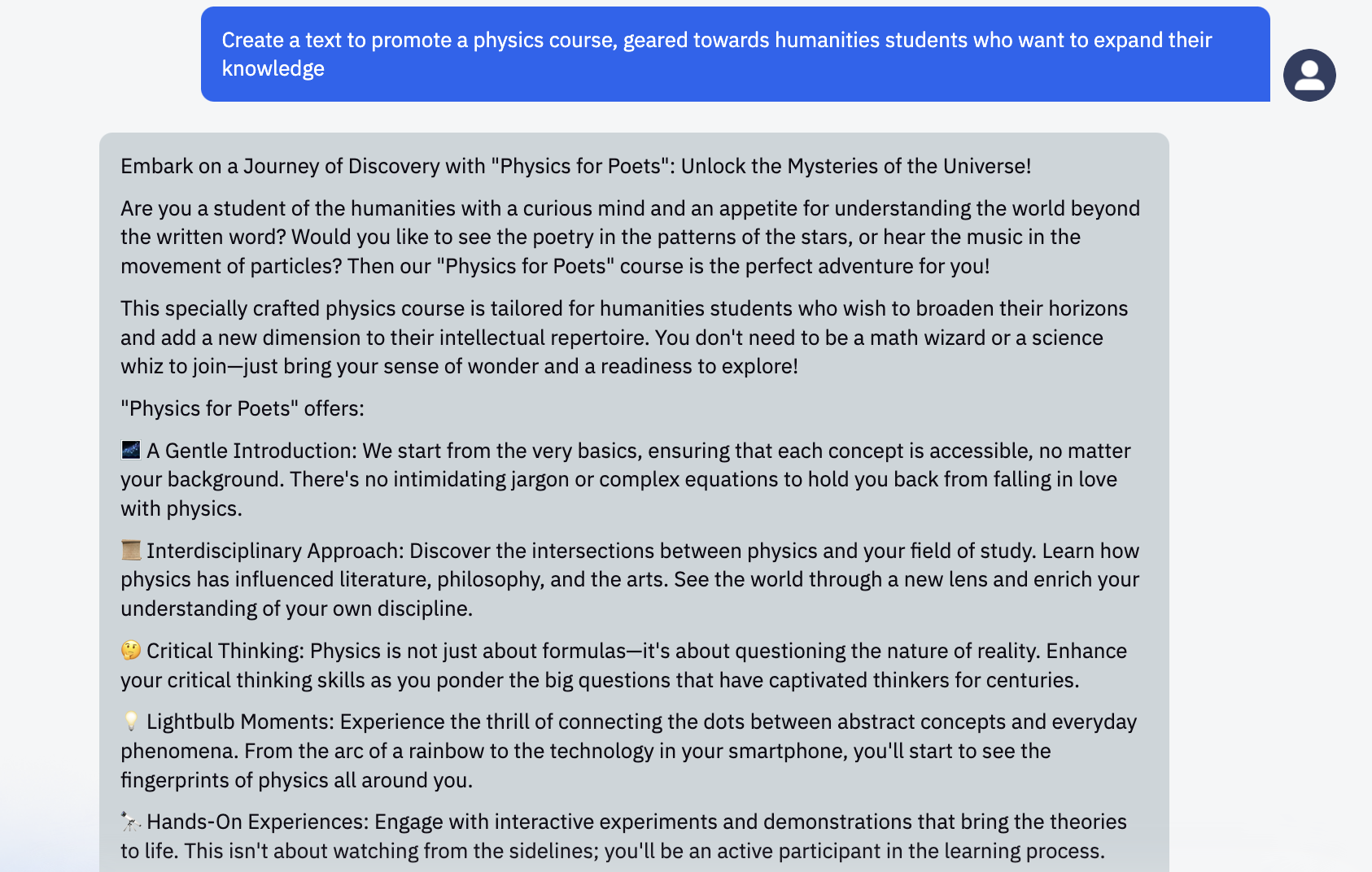
In this case, you can use the prompt "Write a text in the form of ... for the audience ... on the topic ...". For example, "Create an email newsletter text to promote a physics course, aimed at humanities students who want to expand their knowledge."
Response:
2. Personalizing Style and Tone
ChatGPT can adapt the style and tone of the text to match your audience's expectations. For younger readers, you can set it to a simpler and friendlier tone. For an academic audience, you can choose a more formal and scientific style.
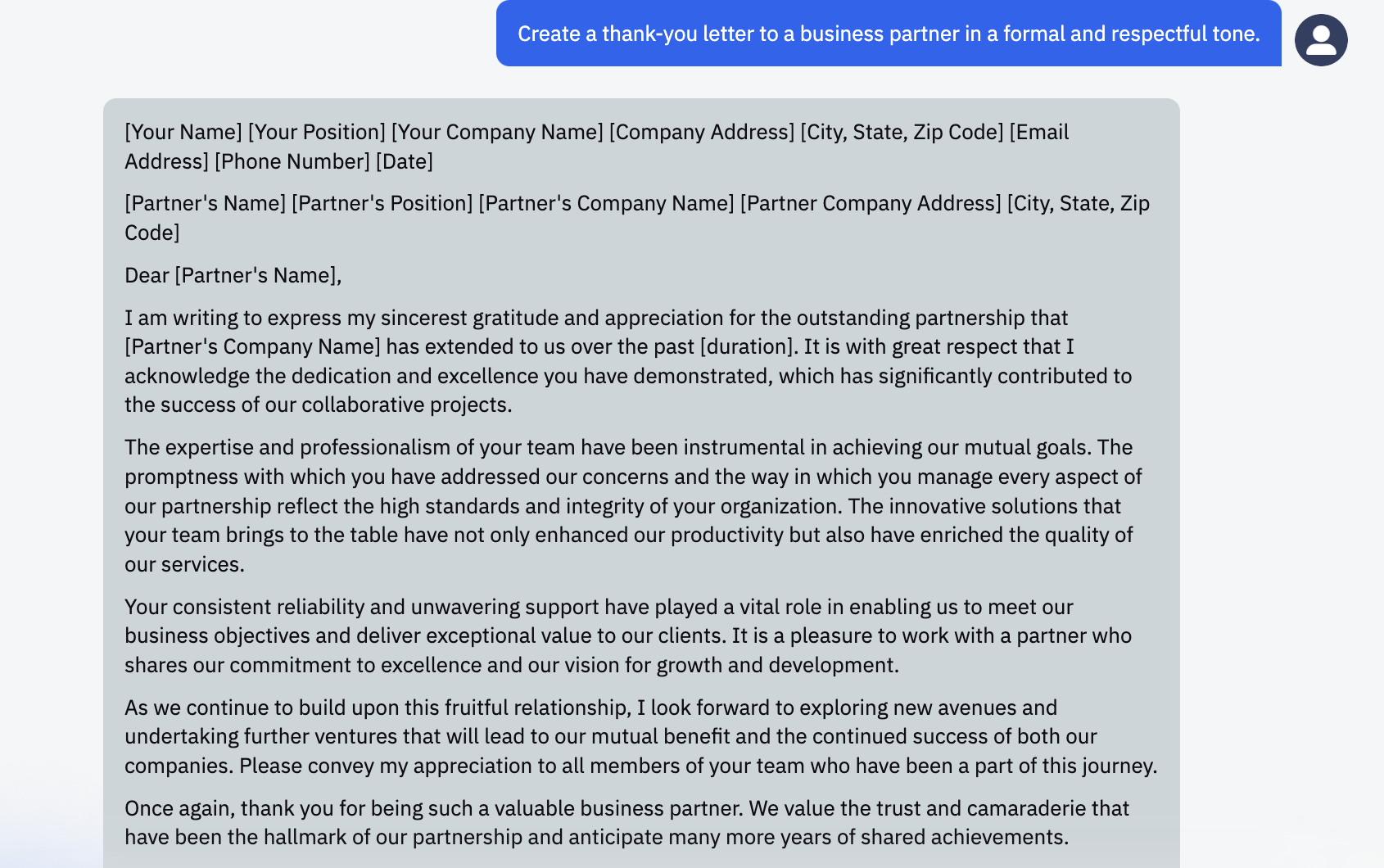
In this case, you can use the prompt "Write a text in the style of ... / use a ... tone". For example, "Create a thank-you letter to a business partner in a formal and respectful tone."
Response:
3. Using Examples and Analogies
ChatGPT can use examples and analogies to make complex concepts easier for your audience to understand. This is especially useful when working with children or school audiences, but it can also be effective when communicating with adults or an academic audience. For example, when explaining the concept of gravity to a children's audience, you can ask ChatGPT to use the analogy of an apple falling from a tree.
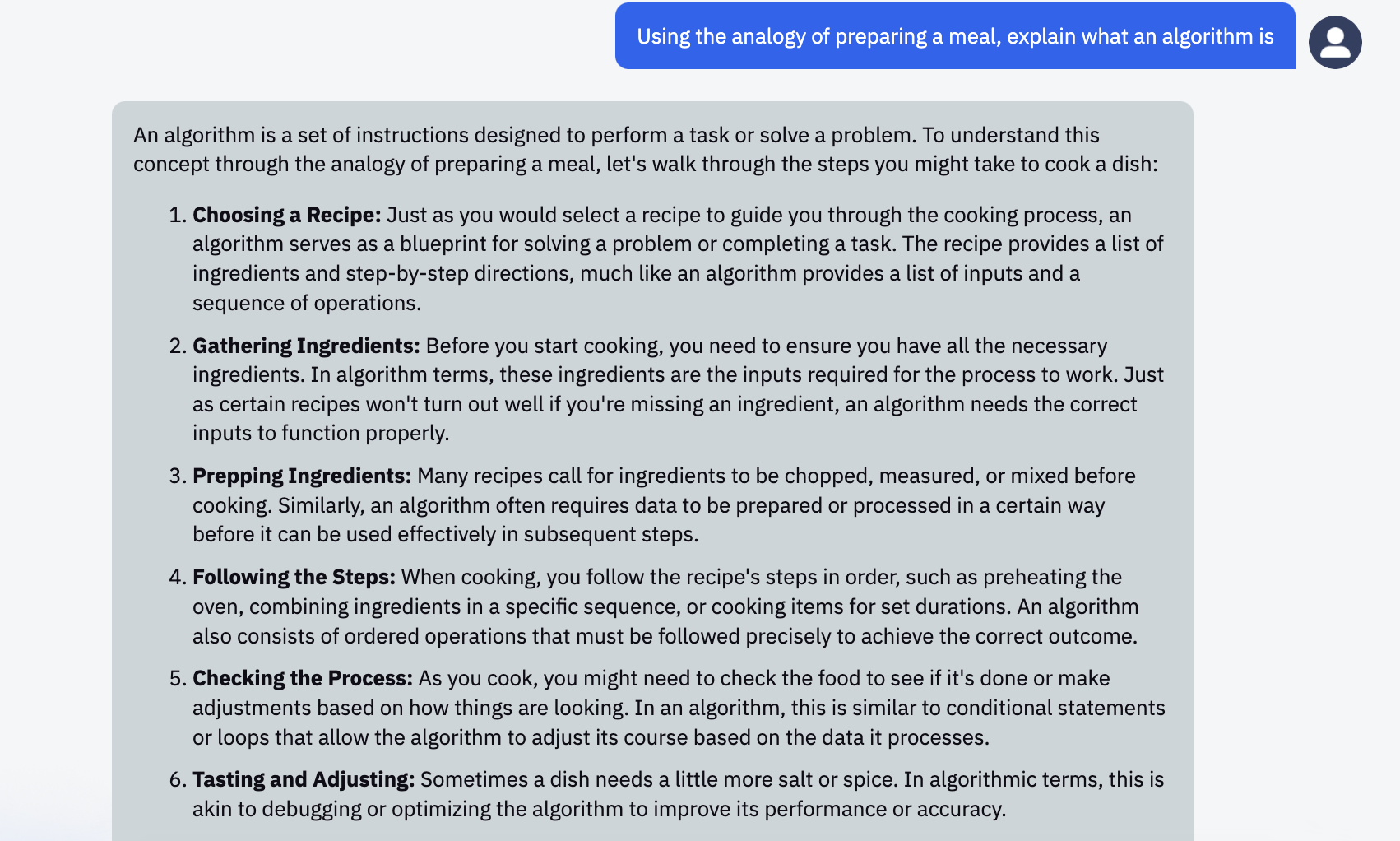
Examples of prompts to understand this principle could be: "Explain how a neural network works using the example of organizing work in a library." or "Using the analogy of cooking dinner, explain what an algorithm is."
Response:
4. Using Clear Language
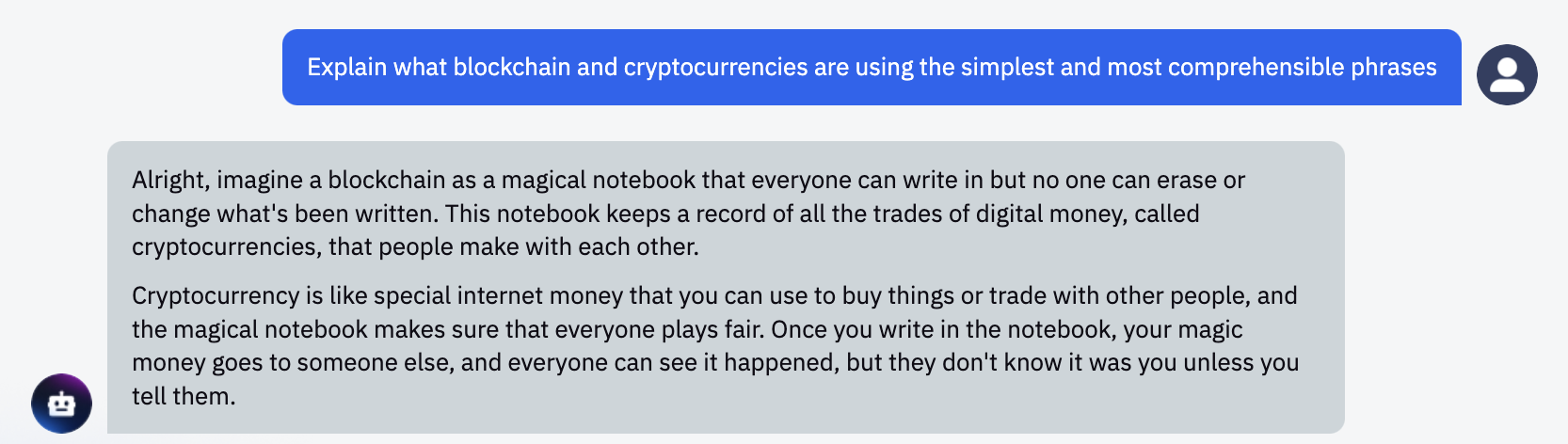
ChatGPT can generate text at various levels of complexity. You can use this feature to create texts that will be understandable to your audience. For a children's audience, you can choose a simpler level of complexity, while for an academic audience, you can choose a more advanced level.
For example, "Rephrase the description of how a quantum computer works so that a middle school student can understand it."
Response:
5. Feedback and Continuous Improvement
Feedback from your audience is a valuable tool for further improving ChatGPT's performance. Reviews, comments, and suggestions will all help you understand what works effectively and what needs improvement. Use this information to fine-tune ChatGPT's parameters to improve the style, tone, and complexity of the text.
For example, if readers say the text is too complex, you can adjust ChatGPT to a simpler level of complexity. If they hint that there are too few practical examples, ask ChatGPT to add them.
6. "Continuation" and "Instruction" Modes
ChatGPT has two modes of operation: "continuation" and "instructions". The "continuation" mode simply generates text by continuing your initial sentence or paragraph. The "instructions" mode allows you to give the AI more specific directions on what you need in the text. This can be especially useful when you are working with a specific audience and want to control the tone, style, and content of the generated text.
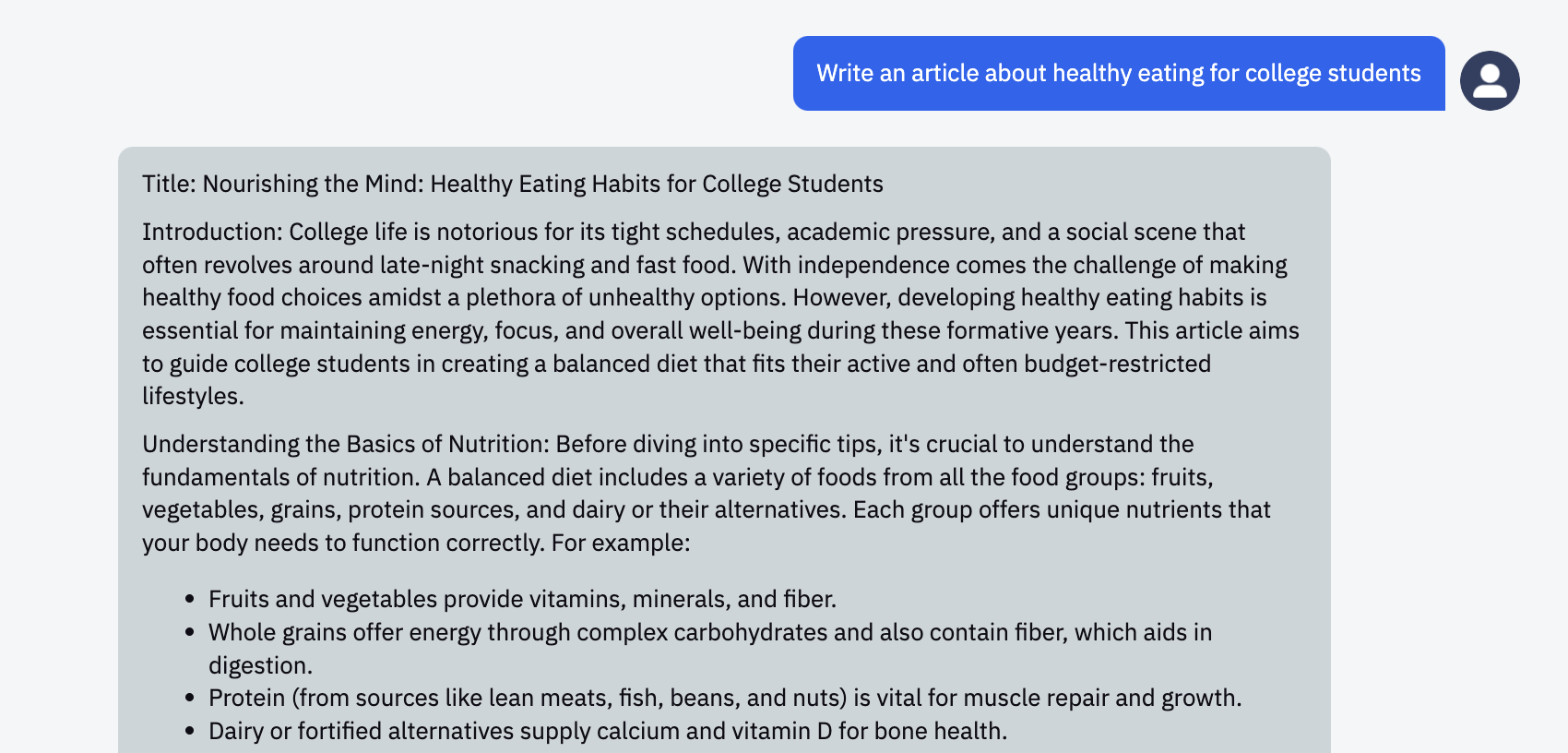
For example, if you want to create an article about healthy eating, you can start with the phrase "Healthy eating includes..." in "continuation" mode, or give the instruction "Write an article about healthy eating for college students" in "instructions" mode.
Response:
7. Evaluation and Editing
Remember that ChatGPT is a tool, and, like any tool, it doesn't always work perfectly. Therefore, it's always important to check and edit the generated text. This allows you to ensure that the text meets your quality standards and communicates effectively with your target audience.
For example, if ChatGPT generates an article about global warming but uses technical terms that may be difficult for your younger audience, you can edit the text by replacing complex terms with simpler words or explaining them using analogies and examples.
Conversely, you can also put ChatGPT in the role of an evaluator and ask it to express its "opinion" about your text or a recently released book.
For instance, "Read this excerpt from the novel and suggest changes that could improve the characters, plot, and overall tone of the story." or "I want you to evaluate this article on the latest AI technology and suggest improvements for clearer and more effective presentation of the material."
Remember, using ChatGPT to create content for different audiences is an art that requires practice and patience. With the right settings, a deep understanding of your audience, and a willingness to experiment, you can maximize the potential of this powerful tool.
Remember that using ChatGPT to create content for different audiences is an art that requires practice and patience. With the right settings, a deep understanding of your audience, and a willingness to experiment, you can maximize the potential of this powerful tool.