Lesson 5: Integrating AI Images into Web Design
Welcome to a new lesson on using neural networks in web design! In this lesson, you will learn how to use Flux to generate images (backgrounds, banners, icons) and integrate them into web layouts. We will cover how to choose styles, optimize images for the web, and apply UX principles to ensure your designs are professional and functional.
Understanding the Role of Images in Web Design
Images in web design enhance aesthetics, direct user attention, and improve UX. AI-generated visuals save time and allow you to create unique elements that align with the brand and the website's goals.
Key Elements of Web Design
- Backgrounds: Set the overall tone of the site (e.g., a minimalist gradient or a futuristic texture).
- Banners: Grab attention on the homepage or in specific sections (e.g., a hero image).
- Icons: Simplify navigation and make the interface intuitive.
- Illustrations: Add uniqueness and support branding (e.g., custom characters).
UX/UI Principles
- Readability: Images should not distract from the text or CTAs (buttons).
- Consistency: Visuals must match the corporate identity (colors, fonts).
- Optimization: Lightweight files (under 200 KB) for fast loading.
- Responsiveness: Images should look good on all devices (desktop, mobile).
Creating Visuals in Flux
Flux stands out for its high detail and strict adherence to prompts, making it ideal for creating complex web visuals like illustrations, icons, and banners. In this section, you will learn how to generate professional visuals for web design and solve common issues so your images are ready to be integrated into layouts.
Prompt Formulation
Flux works best with long, detailed descriptions where you specify the style, colors, composition, and purpose. Avoid generic phrases ("beautiful background")—specificity increases accuracy. For example, "Set of three eco-friendly icons (leaf, bottle, recycle symbol), flat design, green (#4CAF50) and beige (#F5E6CC), minimalist, clean lines, transparent background"
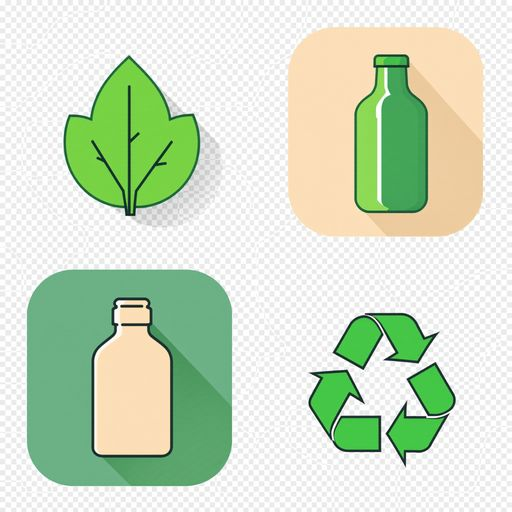
Tip: Add negative prompts (e.g., "no text, no blurry edges") to eliminate unwanted elements. Example: "A minimalist background, no text, no people, no chaotic patterns."
Parameter Settings
- Number of steps (num_steps): Set to 50–75 for high quality. Fewer (30) is suitable for drafts, more (100) for final renders, but it increases generation time.
- Guidance scale (cfg_scale): 7.5–9.0 for strict adherence to the prompt. Lower values (5.0) allow for more creativity but may deviate from the task.
- Seed: Fix the seed (e.g., 42) for reproducible results during refinement.
Let's try generating other types of illustrations that might be useful when creating a website:
- Banner - "Eco-cosmetics promotional banner, vibrant green and beige, featuring a skincare bottle and leaves, modern and engaging, clean edges":
Result from Flux
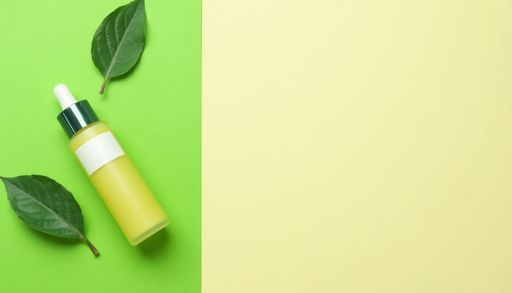
As you can see, Flux immediately selected a banner format that is easy to implement, leaving space for promotional text.
- Illustration for the "About Us" section - "Custom illustration for eco-cosmetics 'About Us' section, modern style, beige and green tones, featuring a woman with natural skincare products, serene and organic vibe":
Result from Flux

- Blog background - "A soft eco-cosmetics blog background, beige and green, subtle leaf patterns, calming and minimalist, high resolution, no text":
Result from Flux

Web Layout Development
To design the layout structure, generate design ideas, write interface copy, and verify UX principles, you can use ChatGPT or other neural networks. It helps create a logical and effective foundation for the website that will blend harmoniously with AI visuals.
Let's create a website structure for the same eco-cosmetics brand we made illustrations for:
"Suggest a homepage structure for an eco-cosmetics website. Specify the sections (e.g., hero, benefits, about us), their order, and purpose. Style: minimalist, audience: women aged 25–40"
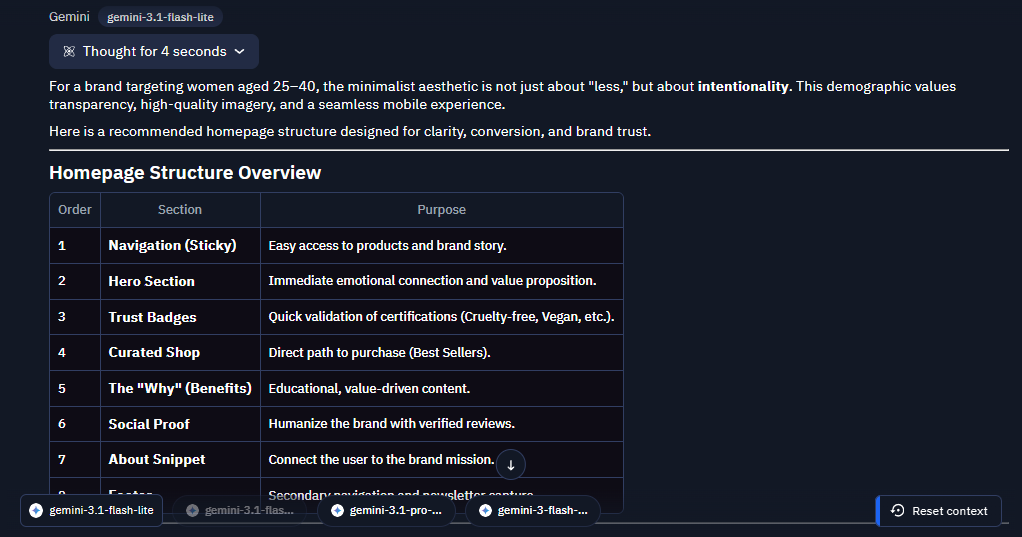
Text is one of the most important elements of a website, but writing it can take a lot of time. As always, neural networks like ChatGPT, Claude, and others can come to the rescue. Let's try writing a prompt for the hero section:
"Write a headline, subheadline, and CTA for the hero section using an inspiring tone"
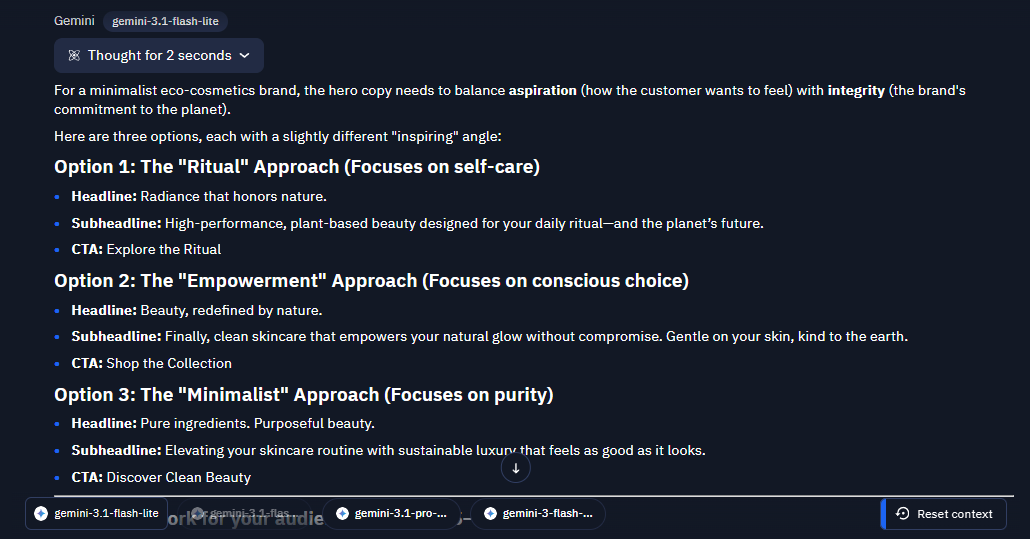
In addition to writing and reviewing text, ChatGPT can help verify UX principles:
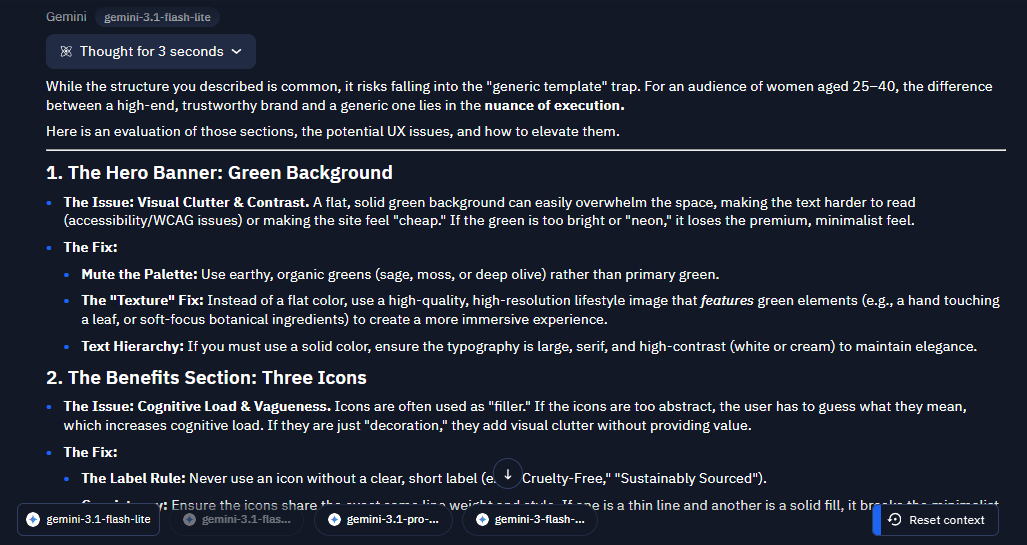
"Evaluate the homepage layout of an eco-cosmetics website: a hero banner with a green background, three icons in the benefits section, and an illustration in 'About Us'. What UX issues might arise, and how can they be fixed?"
Flux opens up new horizons in web design, allowing you to create unique backgrounds, banners, icons, and illustrations in minutes. Designers using AI reduce visual creation time by 3x, attracting more orders. Let's move on to practice!