Lesson 4: Code Generation with Claude. Part 3
In this lesson, we will explore the possibility of programming with GPT, for example, writing code for a "Rock, Paper, Scissors" game in JavaScript and integrating it into a React application.
Generating JavaScript Code
First, let's ask ChatGPT to create the code for a "Rock, Paper, Scissors" game in JavaScript.
Example prompt: "Write the code for a 'Rock, Paper, Scissors' game in JavaScript."
ChatGPT will generate code that might look something like this:
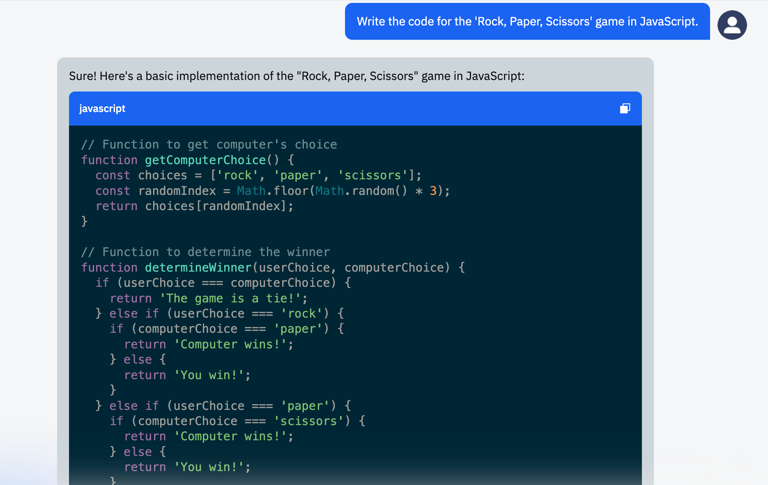
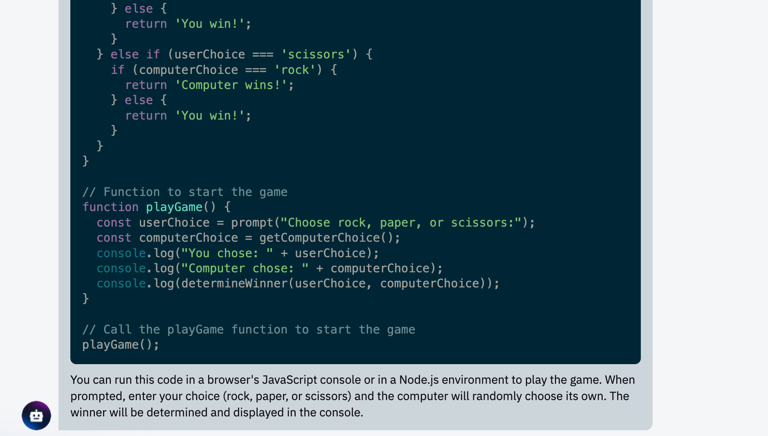
Interestingly, we can copy and execute the generated code right in the browser console, which is its native runtime environment.
Copy the function from the generated code, open the console by pressing F12, and paste it there:
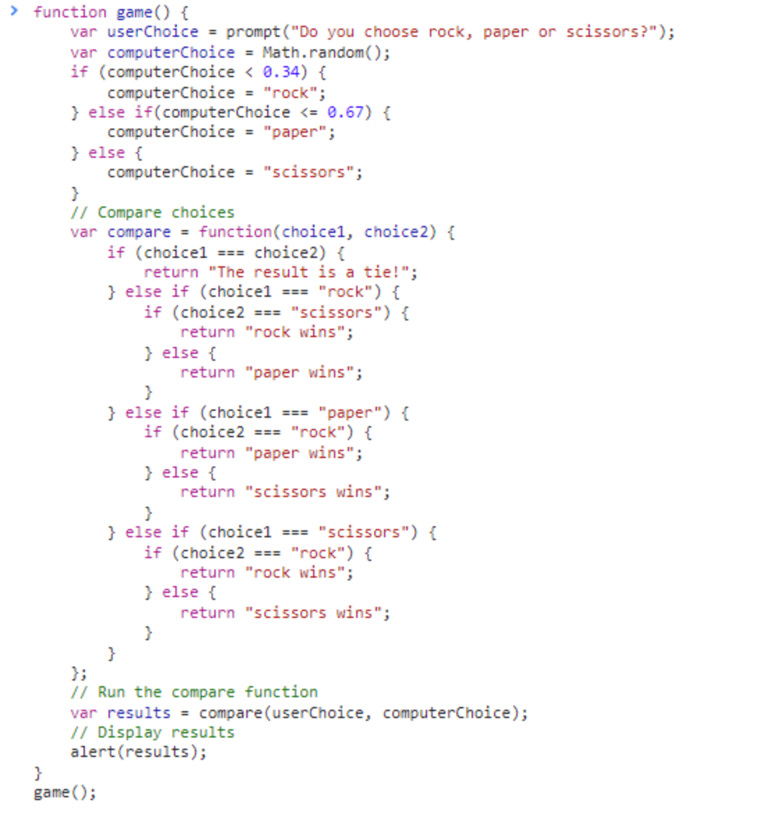
Now we call the function and get a dialog box to choose an option: rock, paper, or scissors.

Once we have verified that the function works, let's see if we can get a tie or a loss.

Scissors won:)
Understanding the Generated Code
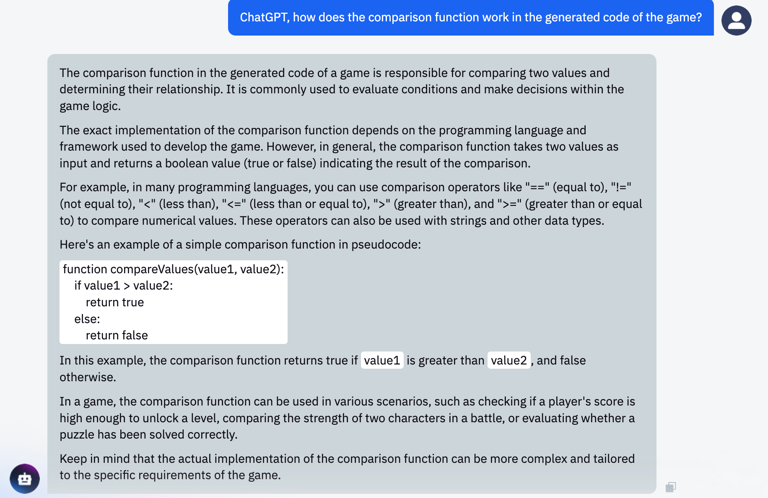
If there are some parts of the code or terms that you don't understand, you can ask ChatGPT, and it will explain them.
Example question: "ChatGPT, how does the comparison function work in the generated game code?"
The answer might be like this:
Practical Assignment
Task: Try using ChatGPT to write a "Tic-Tac-Toe" game in JavaScript.
Instructions:
- Ask ChatGPT to write the code for a "Tic-Tac-Toe" game in JavaScript.
- Copy the resulting code into an HTML file.
- Open it in a browser and try playing!
Example:
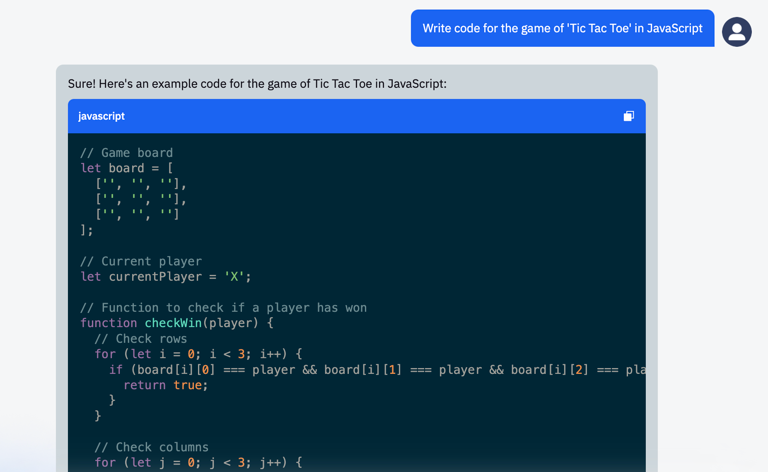
- Prompt: "Write the code for a 'Tic-Tac-Toe' game in JavaScript."
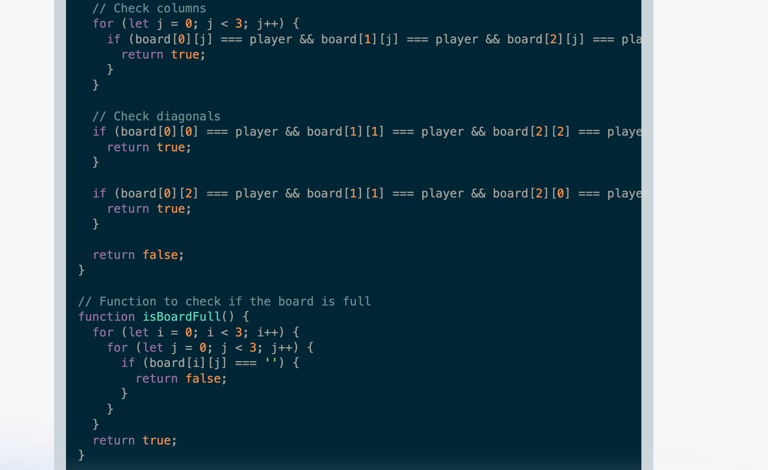
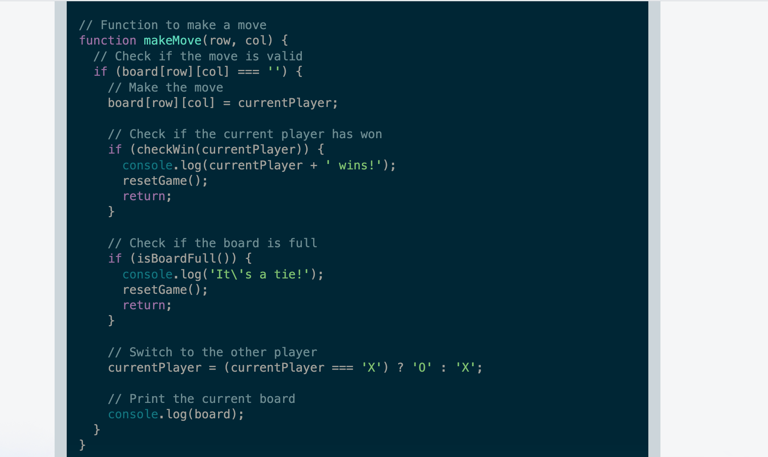
- Response:
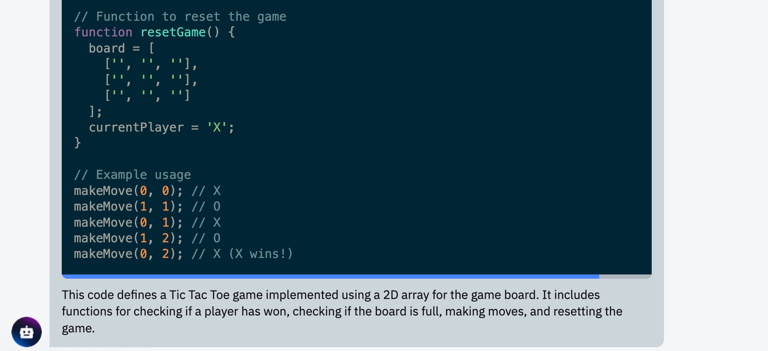
- Paste this code into an HTML file:
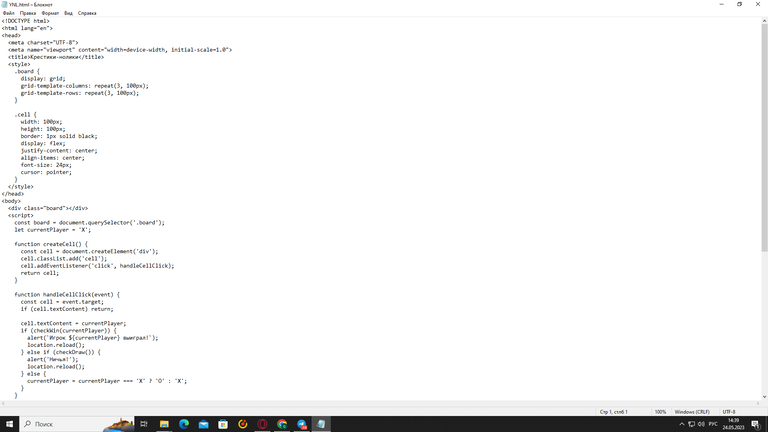
- Open it in a browser:

Conclusion
To conclude the lesson, we can say that with the help of ChatGPT, you can bring your ideas to life, create new projects, and improve existing ones. It can be a useful tool for anyone learning to program, regardless of their knowledge level.