Lesson 1: Using Neural Networks in Programming
In 2025, neural networks are transforming programming, making development faster, more efficient, and more accessible. Among them, Claude stands out as the best model for programming due to its accuracy, ability to generate complex code, and deep understanding of context. Neural networks help automate routine tasks, optimize code, find bugs, and create complex solutions without requiring deep knowledge in every area. We will cover practical examples, use cases, and provide tips on how to integrate Claude into your workflow, regardless of your level—whether you are a beginner or an experienced developer.
Areas of Application
Programming requires time, attention to detail, and continuous learning. Neural networks, especially Claude, address these challenges by providing the following benefits:
- Routine automation: Generating code, documentation, and tests reduces the time spent on repetitive tasks by 30–50%.
- Debugging and optimization: Claude finds bugs and suggests improvements faster than manual analysis, thanks to its deep code analysis.
- Prototyping: Rapidly creating MVPs (Minimum Viable Products) to test ideas.
- Learning: Explaining complex concepts and adapting examples to your skill level.
- Versatility: Support for various languages (Python, JavaScript, C++) and tasks (web, mobile apps, automation).
We will explore code generation in more detail in the upcoming practical lessons, but for now, let's look at other use cases.
Debugging and Optimization
Code bugs are one of the main causes of development delays, capable of increasing project time by 20–40%. Thanks to its deep code analysis and contextual understanding, Claude reduces debugging time, minimizes human error, and improves software quality. In this section, we will explore how to use it to diagnose errors, fix code, and prevent future issues, complete with prompt examples and practical tips.
Why debugging is important
- Time savings: On average, developers spend 30% of their time finding and fixing bugs (source: JetBrains, 2025).
- Code quality: Improperly handled errors can lead to production crashes, which reduces user trust.
- Complexity: Modern projects with thousands of lines of code and complex dependencies make manual debugging inefficient.
- Learning: Understanding the root causes of errors helps developers improve their skills and avoid them in the future.
Let's look at some examples:
"Find and fix the error in this code:
const items = ['apple', 'banana'];
console.log(items[2].toUpperCase()); "
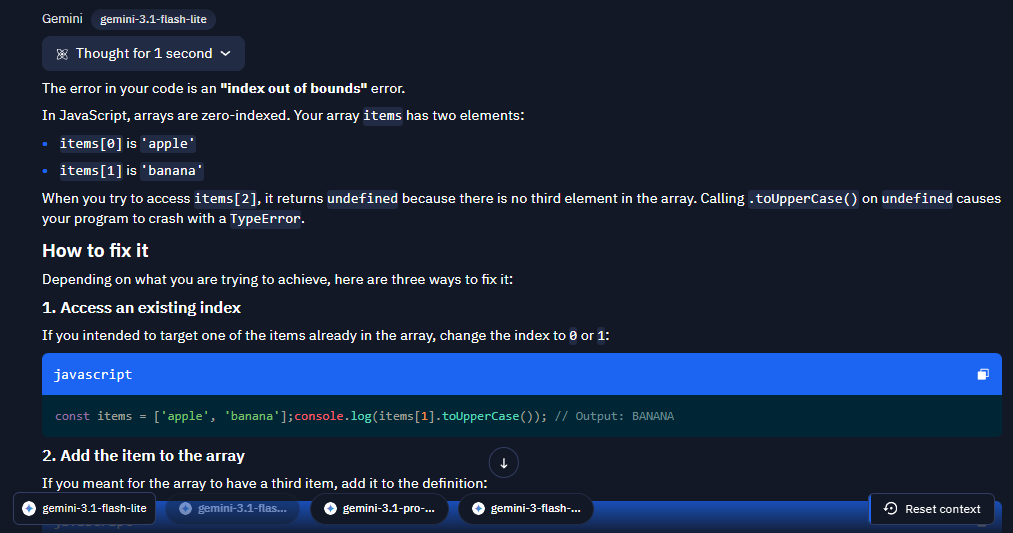
As you can see, Claude immediately provides the code in a convenient, copyable format, which helps avoid unexpected errors, such as indentation issues.
"Optimize this Python code:
def sum_squares(n):
result = 0
for i in range(n):
result += i * i
return result"
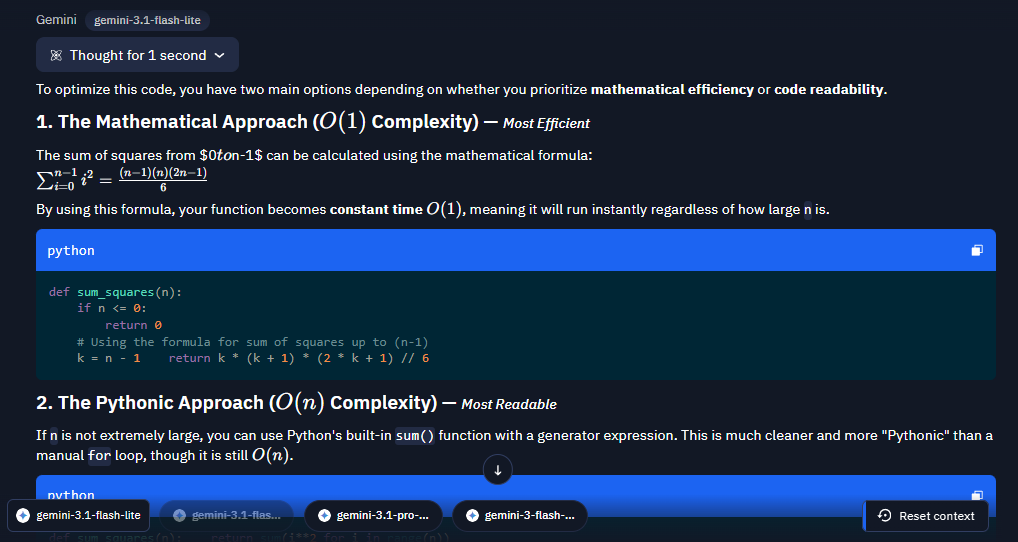
A few tips for effective debugging and optimization:
- Specify details: Indicate the language, framework, and version; attach the full code and the exact error message text.
- Ask for explanations: Ask Claude not only to fix the code but also to explain why the original approach didn't work. This will help you understand the problem and avoid the error in the future.
- Iterative approach: If the fixes didn't work as expected or caused a new error, report it so Claude can suggest an alternative approach.
- Test the fixes: Before implementing Claude's code, test it on sample data or in a development environment. You can also ask it to write tests for the generated code.
- Error prevention: You can ask how to proactively avoid similar errors when writing code in the future.
Documentation Generation
Creating documentation is an important but labor-intensive part of development that can take quite a lot of time. Well-written documentation improves code readability, simplifies teamwork, and increases the project's value for users and clients.
- Code commenting
"Write a comment for this function:
def factorial(n):
if n == 0:
return 1
return n * factorial(n - 1) "
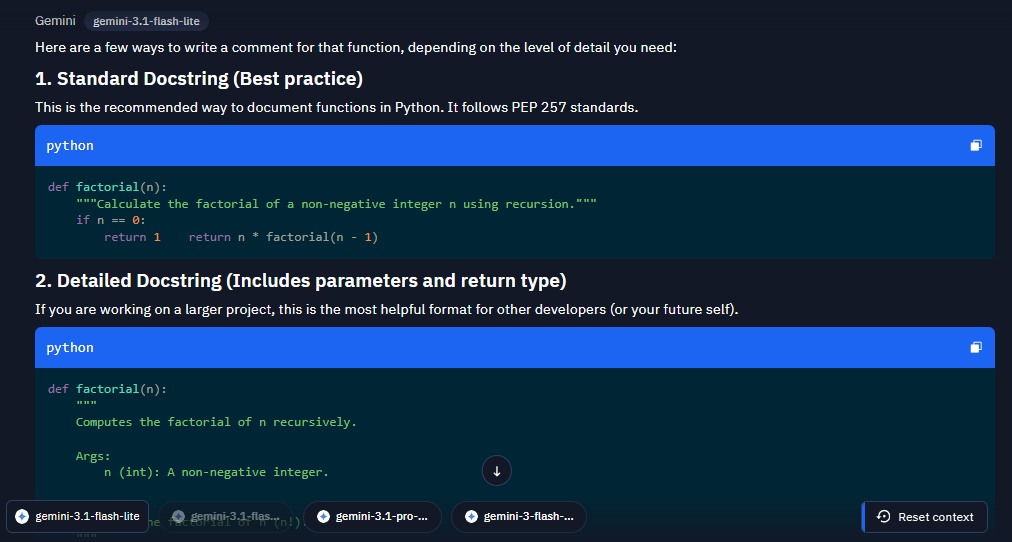
- Creating a README
"Write a README for a 'To-Do List' project in React "
This prompt is provided as an example; it is better to attach all the necessary materials for your specific project.
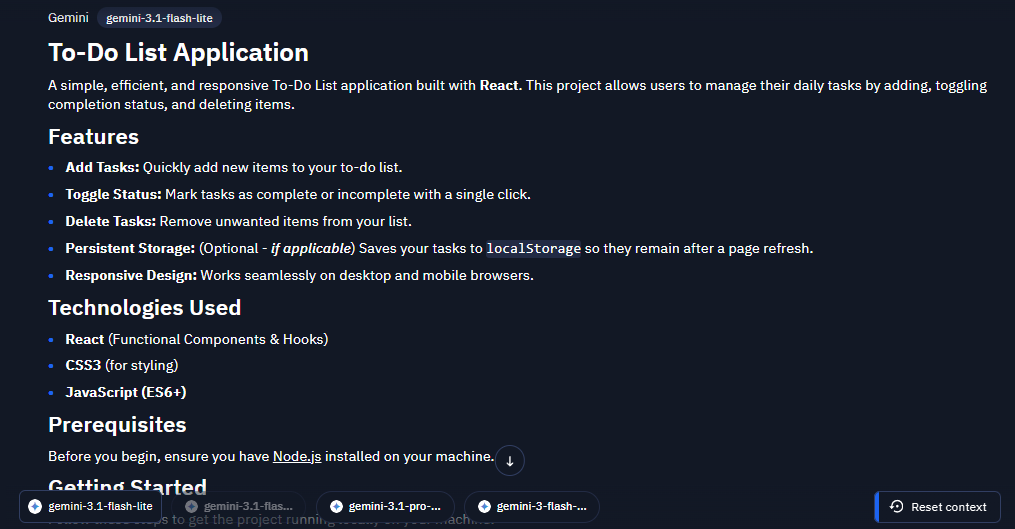
Prototyping
Prototyping is a key development stage that allows you to quickly validate ideas, test functionality, and get feedback before investing significant resources. We will explore how to use Claude to create prototypes for web applications, APIs, and automated scripts, complete with prompt examples, practical scenarios, and tips for integrating them into your workflows.
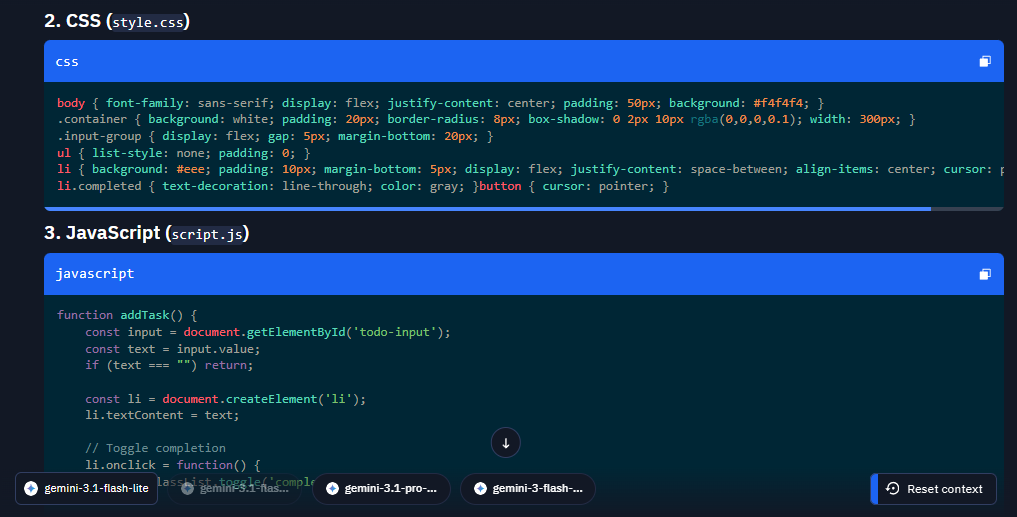
- Web application prototype
"Create a prototype of a To-Do app using HTML, CSS, and JavaScript"
First part of the response:
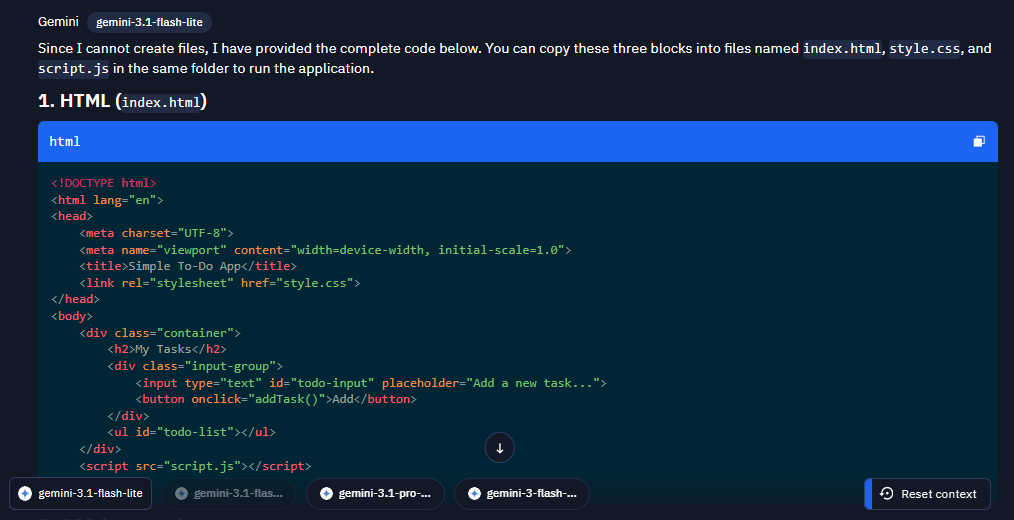
Continuation of the response:
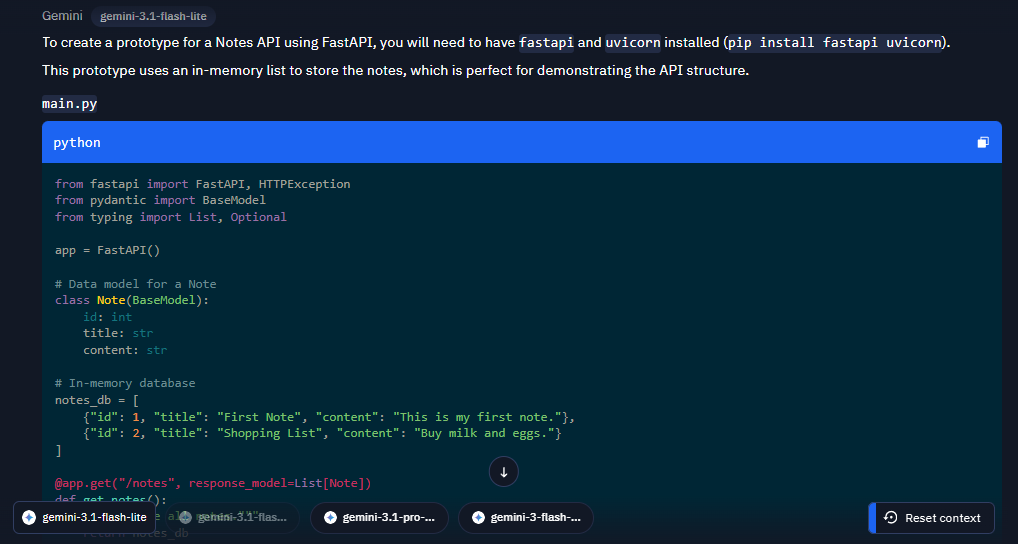
- API prototype
"Write an API prototype for managing notes using FastAPI"
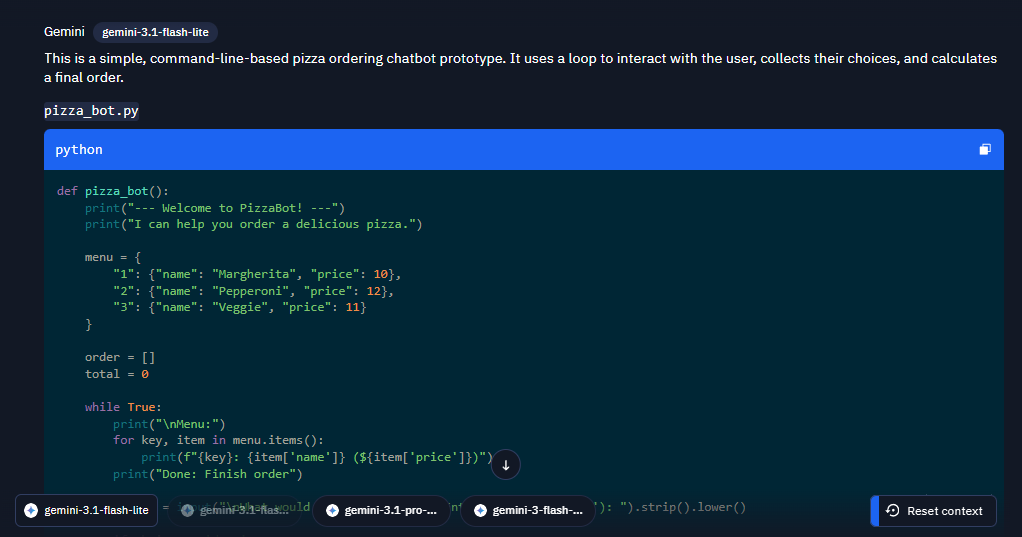
- Chatbot prototype
"Write a Python chatbot prototype for ordering pizza"
- Automated script prototype
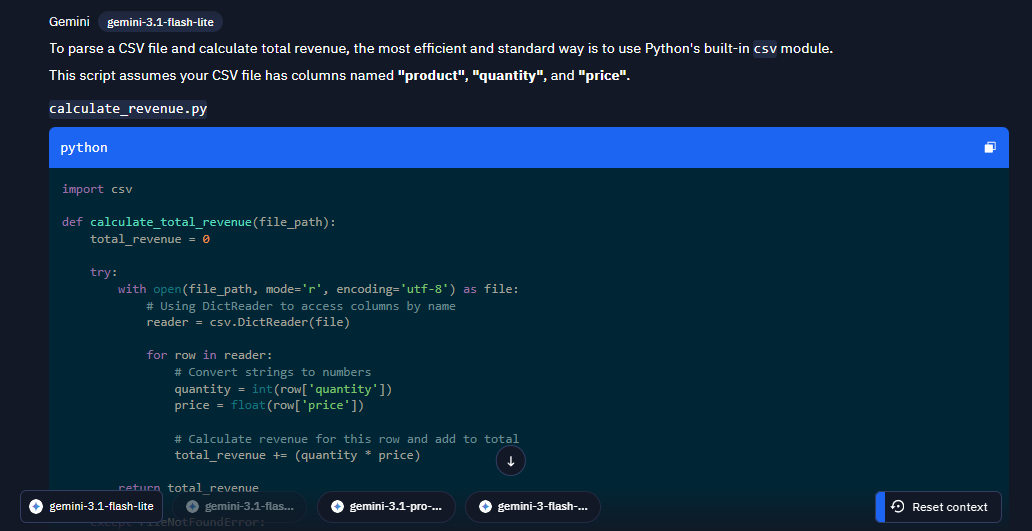
"Create a Python script prototype for parsing a sales CSV file and calculating total revenue"
First part of the response:
- Integration with workflows
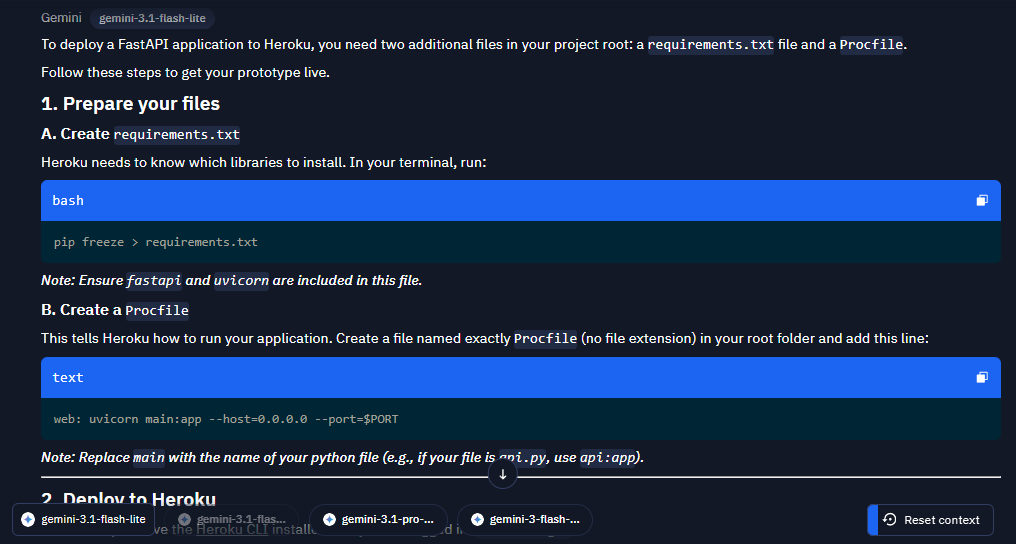
"How do I deploy a FastAPI prototype on Heroku?"
Learning and Explaining Complex Concepts
In the fast-paced world of programming, where new languages, frameworks, and technologies emerge every year, the ability to quickly master new skills becomes critical. According to Coursera (2025), 70% of developers spend at least 10 hours a month learning new technologies to stay competitive. Claude can help simplify the learning process by explaining complex concepts in plain language, adapting examples to your knowledge level, and providing practical exercises to reinforce the material.
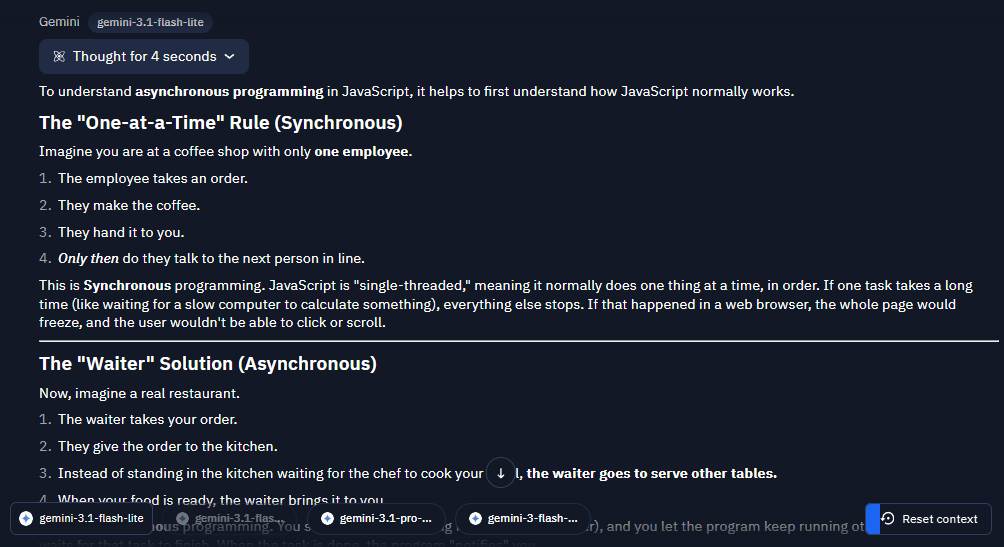
"Explain what asynchronous programming in JavaScript is, keeping in mind that I am a beginner programmer"
After studying a new topic, you can ask Claude to provide examples, suggest practical exercises to reinforce the material, and then review and give feedback on them. In addition, Claude can help create a comprehensive study plan for learning new topics; you can find more details in the "Neural Networks for Studying" module.
As the best model for programming in 2025, Claude makes development faster, more efficient, and more accessible. From code generation and debugging to creating documentation and prototypes, Claude helps save time and solve complex tasks. Most importantly, don't forget to review the code it writes, and remember—neural networks can be your reliable assistant, but they will not replace a full-fledged programmer.